I have been using Expo for more than four years. At first, venturing even a little into native code meant solving a great deal myself. Today, Config Plugins and the EAS ecosystem have matured enough that most native features can live within an Expo project.
I recently added Apple Watch and Wear OS support to Sportling for the first time. Like home-screen widgets, watch apps need to be built in each platform's native language. I used Swift and SwiftUI for watchOS, Kotlin and Compose for Wear OS, and Claude Fable to help write the code.
Apple Watch integrated relatively naturally with EAS Build thanks to
@bacons/apple-targets. Wear OS, on the other hand, required a
separate project, build process, and Play Console upload. This post covers the
architecture I used to connect both platforms to an Expo app and how their
release processes differ.
Expo React Native app
├─ iPhone → WatchConnectivity → SwiftUI · WidgetKit
└─ Android → Wear Data Layer → Kotlin · Compose · Tile
1. Apple Watch: Adding a native target to an Expo project
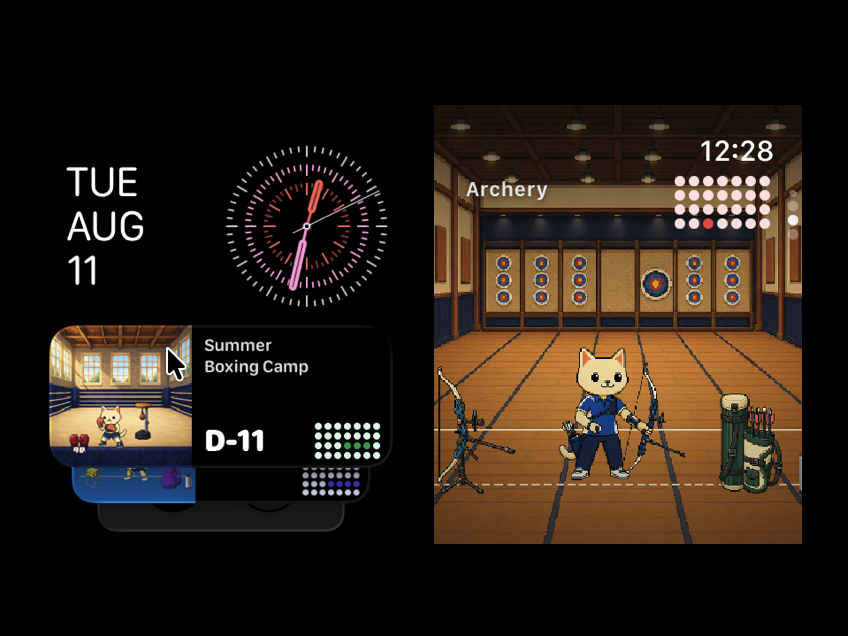
For Apple Watch, I used @bacons/apple-targets. The library turns
native code placed in the project's root targets/ directory into
connected Xcode targets during prebuild. That means Swift code can live
alongside the Expo app without directly maintaining the generated
ios/ folder.
In Sportling, I created separate targets for the SwiftUI watch app and its
WidgetKit widgets. Registering appExtensions let EAS Build create
provisioning profiles for both the watch app and widgets, keeping them in the
same build flow as the iOS app.
2. Wear OS: Creating a standalone Gradle project
Expo does not manage Wear OS as a separate target. Putting a watch module
inside the generated android/ directory would make it vulnerable
to expo prebuild --clean, so I created an independent
wear/ Gradle project at the repository root.
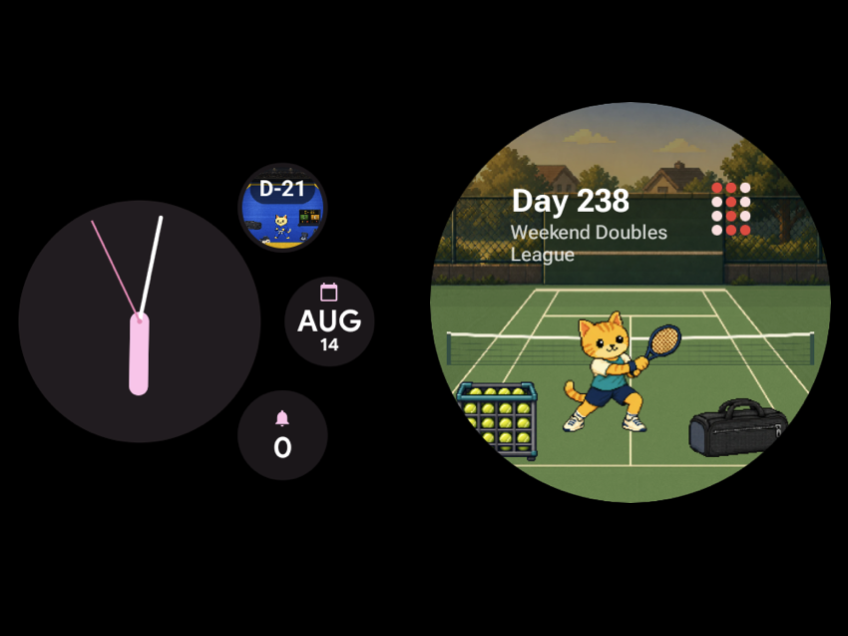
The full-screen app is written with Kotlin and Compose for Wear OS. The tile
uses a ProtoLayout-based TileService, while watch-face
complications are supplied by
SuspendingComplicationDataSourceService.
These two surfaces work quite differently. An app can compose a tile's layout directly, but a complication only provides data such as text or an image; the user's watch face determines the final presentation.
I found this post about adding Wear OS to a Flutter app and publishing it on the Play Storeparticularly helpful. Its approach—keeping the phone app cross-platform while shipping the watch app as a separate native project and release track—was close to Sportling's setup.
3. Syncing data between the phone and the watch
On Apple Watch, an App Group was not directly shared between the iPhone and
the watch. The iPhone app sends the latest JSON snapshot with
WCSession.updateApplicationContext and transfers scene images
with transferFile. The watch app saves that data in its local App
Group, then refreshes the WidgetKit timeline.
On Wear OS, I used Data Layer DataItems and Assets.
WearableListenerService receives data in the background, stores
it locally, and requests updates for tiles and complications.
On both platforms, I send a snapshot of the complete current state instead of individual change events. The latest state is all the watch needs, and this keeps reconnection and deletion handling straightforward.
4. The release processes are completely different
The Apple Watch app and widgets are bundled with the iOS app. EAS Build signs the iOS app and watch targets together, producing one build to distribute through TestFlight and App Store Connect.
The Wear OS app is a separate AAB. I build it with
./gradlew :app:bundleRelease and sign it with the same upload key
EAS uses for the Android phone app. The phone and watch AABs must not share
versionCode values, so I reserve a separate number range for the
watch. The finished AAB goes to Wear OS's dedicated test track in Play Console
before being promoted to production.
Wrapping up
I think an app becomes more useful when it embraces the features of the operating system it runs on. Rather than keeping everything inside the phone app, extending it naturally to surfaces people see often—such as widgets, watches, and complications—made Sportling more valuable.
Compared with when I first started using Expo, it is now possible to explore most native development while staying inside an Expo project. Being able to build only the necessary pieces in Swift and Kotlin, then connect them with EAS and Config Plugins, is a major advantage.
Apple Watch can already join the EAS workflow, but Wear OS still needs its build, signing, and upload process managed separately. I hope Android watch integration continues to evolve so Wear OS apps can eventually be managed in EAS as well.