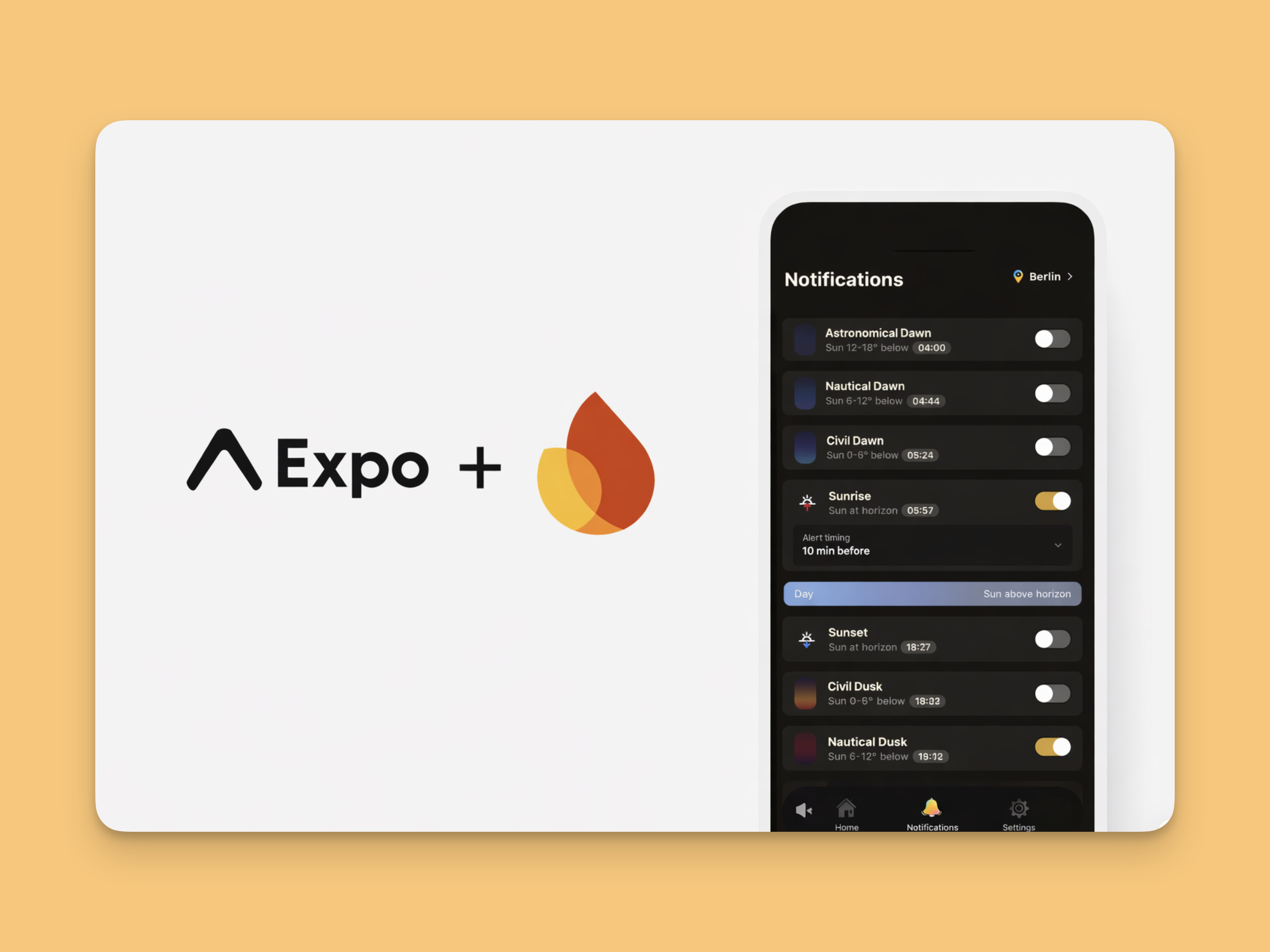
Sunset/sunrise notifications are harder than fixed-time notifications because they are not based on a single static time. Even for the same "10 minutes before sunrise" rule, the actual trigger time changes every day by location, date, and timezone. On top of that, we still need to handle real failure cases such as denied permissions and expired tokens.
In this post, I share how I implemented a personalized notification pipeline for a sun-tracking app. The Settings Save Flow establishes the server-side source of truth with user settings and profile context (location/timezone). The Scheduled Delivery Flow prevents mis-sends with pre-send validation and continuously re-schedules the next run. The User Receive/Open Flow completes the UX with payload-based routing.
Services Used
- Expo: notification settings UI, permission handling, and in-app routing after tap
- Firebase Functions: API endpoints and orchestration for scheduling and delivery
- Firestore: source-of-truth storage for users, subscriptions, and notification jobs
- Cloud Tasks: time-based task dispatch for precise execution timing
- Firebase Cloud Messaging (FCM): actual push delivery to devices
1. Settings Save Flow
%%{init: {'theme':'dark','themeVariables': {'primaryColor':'#1f2937','primaryTextColor':'#e5e7eb','primaryBorderColor':'#9ca3af','lineColor':'#e5e7eb','actorBkg':'#1f2937','actorTextColor':'#e5e7eb','actorBorder':'#9ca3af','signalColor':'#e5e7eb','signalTextColor':'#e5e7eb','labelBoxBkgColor':'#1f2937','labelTextColor':'#e5e7eb','labelBoxBorderColor':'#9ca3af','sequenceNumberColor':'#111827'}}}%%
sequenceDiagram
  autonumber
  participant User as User
  participant App as Expo App
  participant API as Firebase Functions
  participant DB as Firestore
  participant Queue as Cloud Tasks

  User->>App: Enable sunrise alert
  App->>API: POST /registerDeviceAndProfile
  App->>API: POST /replaceSubscriptions
  API->>DB: Save subscriptions (bump version if changed)
  API->>DB: Reconcile and compute next run
  API->>DB: Upsert notificationJob
  API->>Queue: Enqueue jobId
1. The user enables sunrise alerts in the app.
2. The app calls registerDeviceAndProfile to sync location
(lat/lng), timezone, locale, and token context.
3. The app calls replaceSubscriptions so the latest subscription
set becomes the server-side source of truth.
await notificationApi.registerDeviceAndProfile({
  userId, deviceId, timezone,
  latitude, longitude, locale, fcmToken,
});
await notificationApi.replaceSubscriptions({
userId,
subscriptions: nextSubscriptions,
});
4. The server saves subscriptions and bumps
notificationVersion only when there is a real change.
5. The server runs reconcileSubscription(), which calls
computeNextOccurrence() to calculate the next event time.
6. The server persists the result as a
scheduled notificationJob.
7. The server enqueues the job in Cloud Tasks via
enqueueNotificationTask().
The key sequence is: "confirm latest settings → bump version if changed → schedule next one run." The bumped version is later used as a guard in the delivery flow to block stale jobs.
Core calculation logic for next event time:
const times = SunCalc.getTimes(now, lat, lng);
let target = times[topic];
if (!target || target.getTime() <= now.getTime()) {
  const tomorrow = new Date(now);
  tomorrow.setDate(tomorrow.getDate() + 1);
  target = SunCalc.getTimes(tomorrow, lat, lng)[topic];
}
How calculated time is connected to job state and queue execution:
const scheduledFor = computeNextOccurrence(input);
await upsertNotificationJob({
  userId, subscriptionId, scheduledFor,
  version: notificationVersion, status: "scheduled",
});
await enqueueNotificationTask({ userId, subscriptionId, scheduledFor });
2. Scheduled Delivery Flow
%%{init: {'theme':'dark','themeVariables': {'primaryColor':'#1f2937','primaryTextColor':'#e5e7eb','primaryBorderColor':'#9ca3af','lineColor':'#e5e7eb','actorBkg':'#1f2937','actorTextColor':'#e5e7eb','actorBorder':'#9ca3af','signalColor':'#e5e7eb','signalTextColor':'#e5e7eb','labelBoxBkgColor':'#1f2937','labelTextColor':'#e5e7eb','labelBoxBorderColor':'#9ca3af','sequenceNumberColor':'#111827'}}}%%
sequenceDiagram
  autonumber
  participant Queue as Cloud Tasks
  participant API as Firebase Functions
  participant DB as Firestore
  participant FCM as FCM

  Queue->>API: execute sendNotificationTask(jobId)
  API->>DB: Validate job/user/version
  API->>FCM: send multicast push
  API->>DB: Mark job as sent
  API->>API: reconcile next occurrence
1. Cloud Tasks dispatches sendNotificationTask(jobId).
2. Inside sendNotificationTask, the function validates job state,
user/subscription/device status, and version to block stale work.
3. Only validated jobs are sent through sendMulticast().
4. The result is persisted by marking the job as
sent, failed, skipped, or
cancelled.
5. After handling the current run, the server calls
reconcileSubscription() again to prepare the next occurrence.
In this phase, pre-send validation matters more than raw send throughput. Validation + immediate re-scheduling is what reduces both duplicate sends and missing sends in production.
if (!job || job.status !== "scheduled") return;
const user = await getUser(job.userId);
if (!user || job.version !== user.notificationVersion) {
  await markJobCancelled(jobId, "stale-version");
  return;
}
await sendMulticast(tokens, payload);
3. User Receive/Open Flow
%%{init: {'theme':'dark','themeVariables': {'primaryColor':'#1f2937','primaryTextColor':'#e5e7eb','primaryBorderColor':'#9ca3af','lineColor':'#e5e7eb','actorBkg':'#1f2937','actorTextColor':'#e5e7eb','actorBorder':'#9ca3af','signalColor':'#e5e7eb','signalTextColor':'#e5e7eb','labelBoxBkgColor':'#1f2937','labelTextColor':'#e5e7eb','labelBoxBorderColor':'#9ca3af','sequenceNumberColor':'#111827'}}}%%
sequenceDiagram
  autonumber
  participant FCM as FCM
  participant OS as iOS/Android OS
  participant User as User
  participant App as Expo App

  FCM-->>OS: Deliver push
  OS-->>User: Show notification banner
  User->>OS: Tap notification (optional)
  OS->>App: Open app with payload
1. FCM delivers the push to iOS/Android OS.
2. The OS shows a banner/notification-center item.
3. When the user taps, the OS forwards the open event to the app.
4. The app reads payload in
addNotificationResponseReceivedListener and routes via
router.push.
User experience is determined here. Delivery success alone is not enough. Correct payload-based routing after open has a larger impact on retention.
Notifications.addNotificationResponseReceivedListener((response) => {
  const payload = response.notification.request.content.data;
  if (payload?.type === "sunrise" || payload?.type === "sunset") {
    router.push("/notifications");
  }
});
Operational Safeguard
In production, queue delay and transient failures are inevitable. A scheduled sweeper that fills "enabled subscription but no scheduled job" gaps is essential. In practice, reliability depends more on automatic recovery than on one-time send success rate.
for (const sub of activeSubscriptions) {
  const hasJob = await hasScheduledJob(sub.id);
  if (!hasJob) await reconcileSubscription(sub);
}
Closing
This was my first time implementing a queue-based notification pipeline end to end. I had used most pieces before and had built cron jobs, but a queue system where multiple services exchange work was still confusing at first.
Visualizing the flow with diagrams made a big difference. It helped me see the whole system at a glance, and I plan to keep building service-specific pipelines directly and refine them from an operations perspective.