This month's Aurora Eos update isn't a big one. I added a getting started guide so Pro subscribers can get more out of the app, and I polished a few small things, like cutting down the wait the first time you open it.
Pro Getting Started Guide
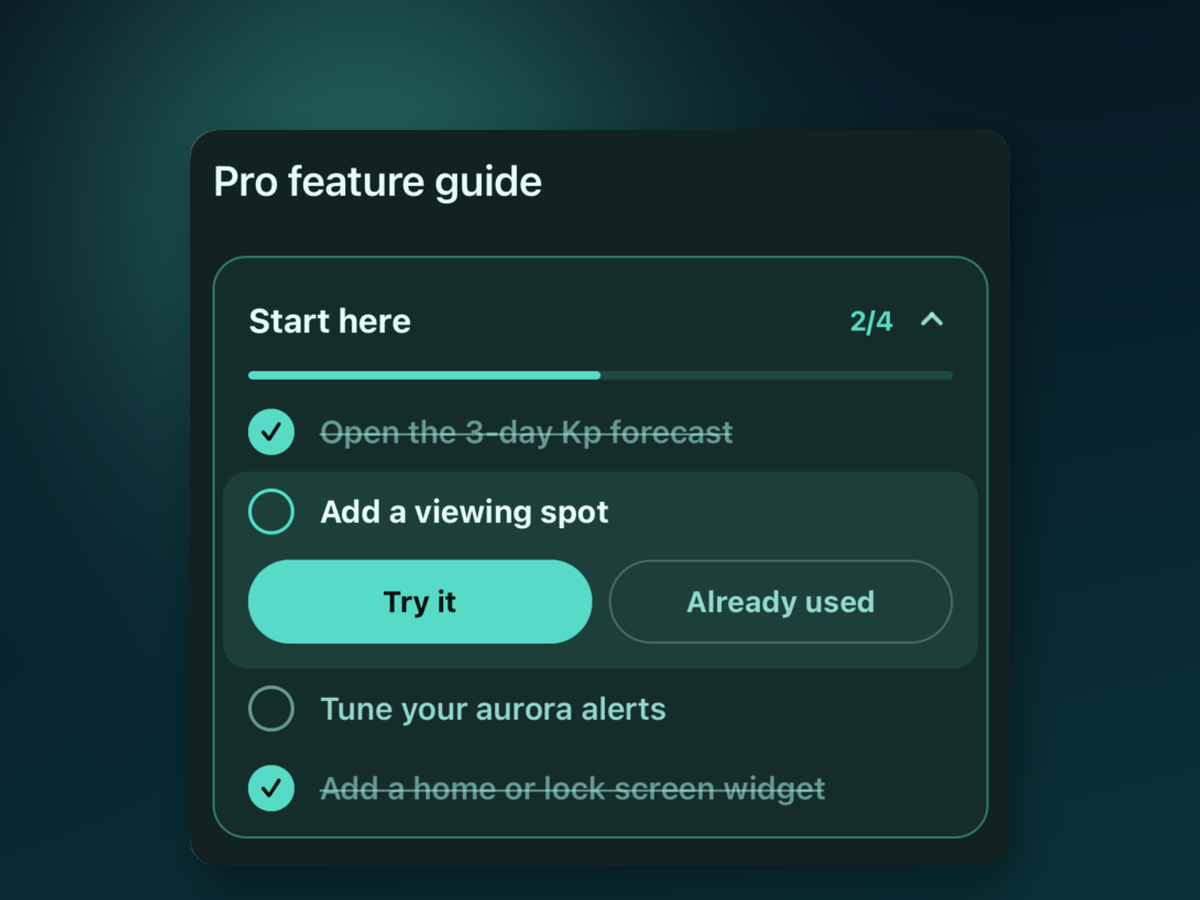
It occurred to me that even after subscribing to Pro, it's hard to know which features to try first. So I built a getting started guide for subscribers. You can follow four steps in order, from the mission card on Home or the "Start here" checklist in your Pro profile, and try the Pro features one by one. You can also revisit the feature overview anytime from your Pro profile.
I also cleaned up the comparison table on the subscription screen. It now shows every feature included in Pro. At first you only see the main items, and tapping "Show all" expands the rest.
Improvements
- I shortened the time it takes to find your location when you first start the app. City-level location is enough for aurora forecasts, so instead of waiting a long time for a precise GPS fix, the app now loads the info it needs alongside it.
- I removed the background music. With the music on/off button gone, I also re-centered the tab bar to fit.
Wrapping Up
This month I spent less time on eye-catching new features and more on making existing ones easier to find and quicker to get started with. Next time you're out waiting for the aurora, give Aurora Eos a try, and if anything feels off, I'd really appreciate hearing about it anytime.