Do Not Miss Geomagnetic Storm Forecasts
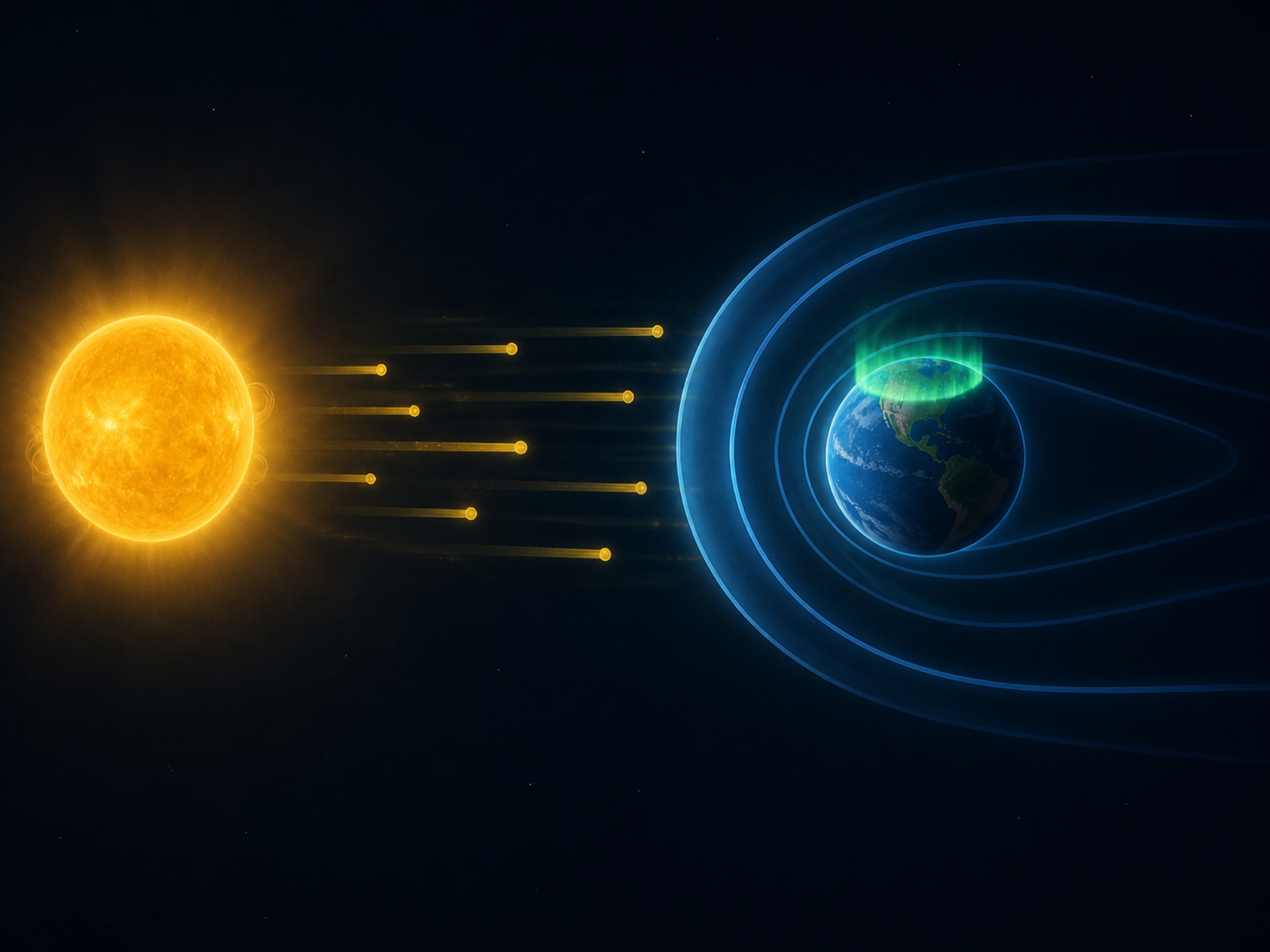
Space weather is genuinely hard to predict. Aurora happens when particles and magnetic fields from the Sun interact with Earth's magnetic field, and the outcome depends on many variables: solar wind speed, density, IMF direction, clouds, moonlight, and local observing conditions. So instead of only asking whether Kp is high right now, it helps to know when stronger geomagnetic activity is expected.
This is especially important when a coronal mass ejection (CME) is heading toward Earth. NOAA describes CMEs as large expulsions of plasma and magnetic field from the Sun's corona. Fast Earth-directed CMEs can arrive in as little as 15-18 hours, while slower ones can take several days. That is why checking NOAA's 3-day geomagnetic forecast can give you useful preparation time before the solar wind actually reaches Earth.
1. What Is a Geomagnetic Storm?
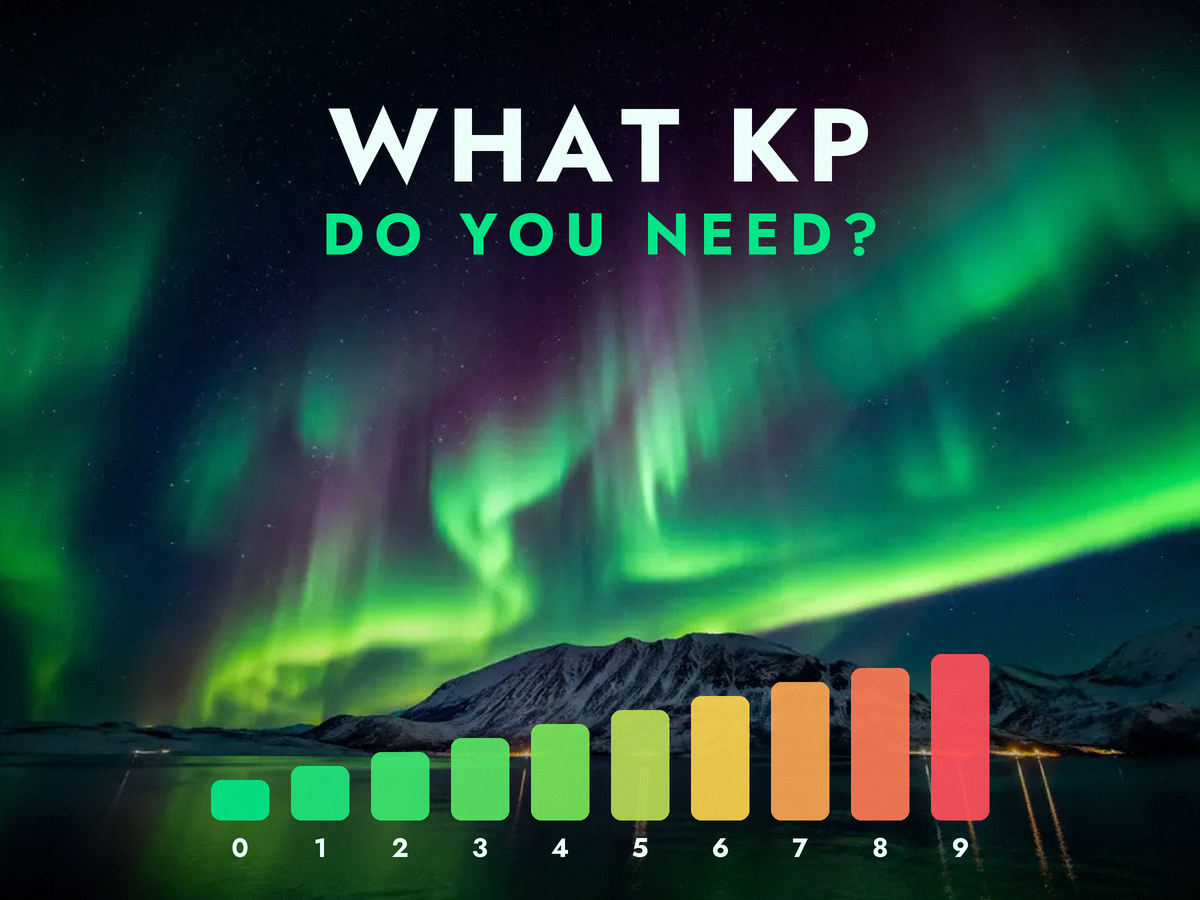
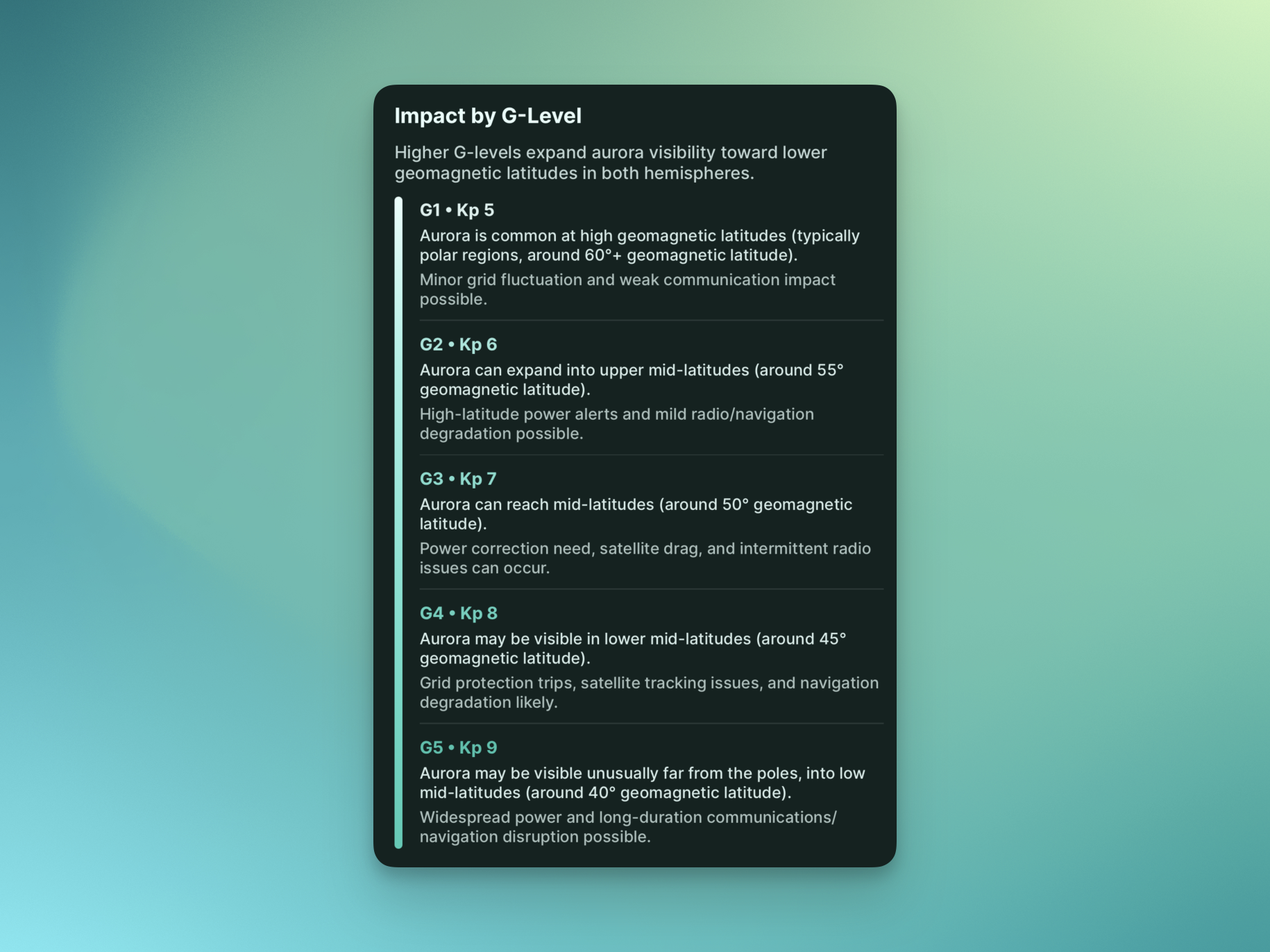
A geomagnetic storm is a major disturbance in Earth's magnetosphere caused by efficient energy transfer from the solar wind into the space environment around Earth. NOAA SWPC explains this activity using the Kp index and the G-scale. Kp measures global geomagnetic disturbance in 3-hour blocks, while the G-scale translates storm strength into easier levels from G1 to G5.
- G0: No geomagnetic storm. Normal conditions.
- G1: Minor. Around Kp 5; aurora chances increase at high latitudes.
- G2: Moderate. Around Kp 6; the aurora viewing zone can expand farther from the poles.
- G3: Strong. Around Kp 7; mid-latitude opportunities can appear.
- G4-G5: Severe to Extreme. Rare, very strong storms that can also affect satellites, radio, navigation, and power systems.
From an aurora-hunting perspective, a higher G-level is exciting, but it does not guarantee a good viewing night. Your location, cloud cover, moonlight, light pollution, and the timing of the storm all matter. Instead of treating G3 as an automatic signal to go out, it is better to convert the forecast into your local time and check local weather before deciding.
2. How to Read the NOAA 3-Day Forecast
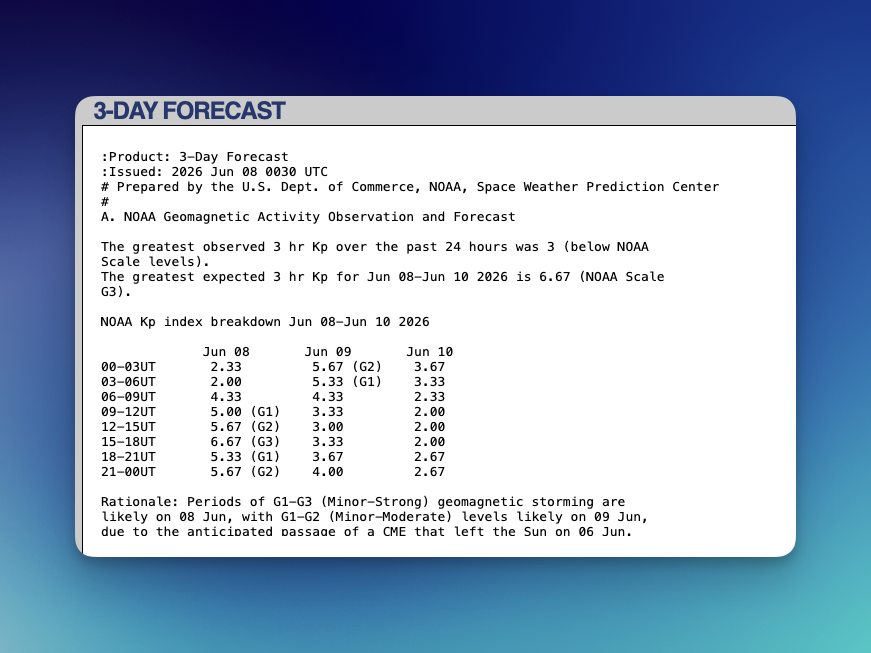
Aurora Eos uses data from NOAA Space Weather Prediction Center's 3-Day Forecast for geomagnetic storm forecast alerts. This product gives a simple one-page view of recently observed and forecast space weather conditions for the next three days. It is typically issued twice a day, at 00:30 UTC and 12:30 UTC, and includes observed and forecast criteria for the NOAA Scale categories (R, S, and G), along with a short forecaster-written rationale.
The first section to check is the NOAA Kp index breakdown. The table splits each day into 3-hour UTC windows and shows the expected Kp value, often with a G-scale label beside it. For example, in the latest forecast issued on June 8, 2026, the 15-18UT window on June 8 showed Kp 6.67, or G3. That does not mean the entire day is G3. It means that the strongest expected peak may occur during that 3-hour window.
Do not skip the Rationale section. The numbers tell you when Kp may rise, but the rationale explains why. In this case, the forecast notes periods of G1-G3 storming on June 8 and G1-G2 levels on June 9 due to the anticipated passage of a CME that left the Sun on June 6. The cause matters: a CME-driven storm and a high-speed solar wind stream can behave differently in timing, duration, and variability.
3. Convert UTC Into Your Local Time
NOAA forecasts are based on UTC. If you miss that detail, you can easily target the wrong observing window. For example, if the table says 15-18UT, Tromso in Norway is 2 hours ahead of UTC during summer. So June 8, 2026 15-18UT becomes June 8, 2026 17:00-20:00 in Norway.
The same applies anywhere you travel for aurora: Iceland, Canada, Alaska, Norway, and other viewing regions all use different time zones. Always convert the table into the local time of the place where you will actually be looking at the sky. In Aurora Eos, the 3-day forecast screen lets you check forecast times in your own time zone directly, so you do not need to calculate UTC manually.
4. Set Geomagnetic Storm Forecast Alerts in Aurora Eos
Aurora Eos now supports geomagnetic storm forecast alerts. You can choose a minimum level from G0 to G5, and the app can notify you when a geomagnetic storm at or above that level is expected. This is not just a real-time alert. It is a forecast-based signal that tells you stronger geomagnetic activity may be coming soon.
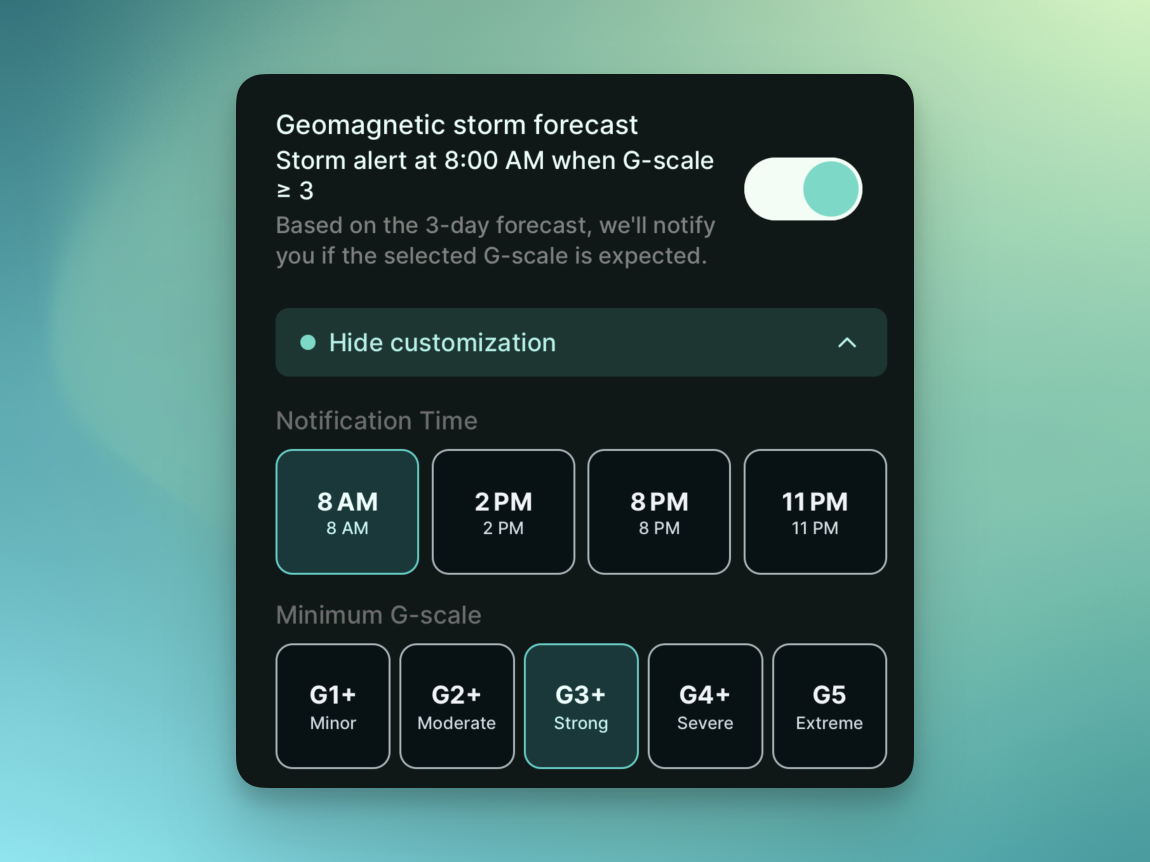
I recommend starting with G3. G1 and G2 can happen often in high-latitude aurora destinations, which may create too many alerts. G4 and above are rare, so waiting only for those levels can make you miss good opportunities. G3 is a practical middle point: strong enough to adjust your plan, but not so rare that you never get notified. If you are already in a high-latitude place such as Yellowknife, you may prefer G2. If you want fewer alerts, you can raise the threshold to G4.
When an alert arrives, do one more check before heading out. First, look at the NOAA table and confirm the peak window. Then convert it into local time, check Kp and Ovation probability in Aurora Eos, and finally look at cloud cover and moonlight. Once this workflow becomes familiar, the question "Should I go out tonight?" becomes much easier to answer.
Wrap-up
Geomagnetic storm forecasts help you catch aurora opportunities before they pass. Space weather remains uncertain, but events like Earth-directed CMEs can give you a useful planning window because they take time to travel from the Sun to Earth. The important habits are simple: check the latest issued forecast, read Kp and the G-scale together, and convert UTC into the local time of your observing location.
Aurora Eos geomagnetic storm forecast alerts are designed to make that process easier. Start around G3, and when an alert arrives, check the forecast window and local weather together. Great aurora can still appear suddenly, but it is easier to catch when you are prepared.
Sources and Recommended Reading Order
This post is based on public information from NOAA Space Weather Prediction Center. For quick checks, start with the 3-Day Forecast. When you want to understand why a forecast changed, read the Forecast Discussion and the phenomenon explainer pages alongside it.
- NOAA 3-Day Forecast: The main reference for recent observations, 3-day R/S/G-scale forecasts, Kp breakdowns, and forecaster rationale.
- 3-Day Forecast text file: The raw text product, useful for apps, automation, and checking the latest issued forecast directly.
- NOAA Geomagnetic Storms: A good explainer for what geomagnetic storms are, what solar wind conditions matter, and how Kp relates to the G-scale.
- NOAA Coronal Mass Ejections: Background on what CMEs are and how long Earth-directed CMEs can take to arrive.
- NOAA Space Weather Scales: Details on G1 through G5, Kp thresholds, and possible impacts on aurora, satellites, radio, navigation, and power systems.