Sometimes running an app takes more time than building new features. Right before release, I had to update metadata, align screenshots and release notes per locale, and scan user reviews to decide what to improve next. After four years as a solo developer, this repetitive work became my biggest bottleneck.
So I made one rule: build features as a developer, delegate repetitive operations to MCPs. These are the three MCPs I use most in real production.
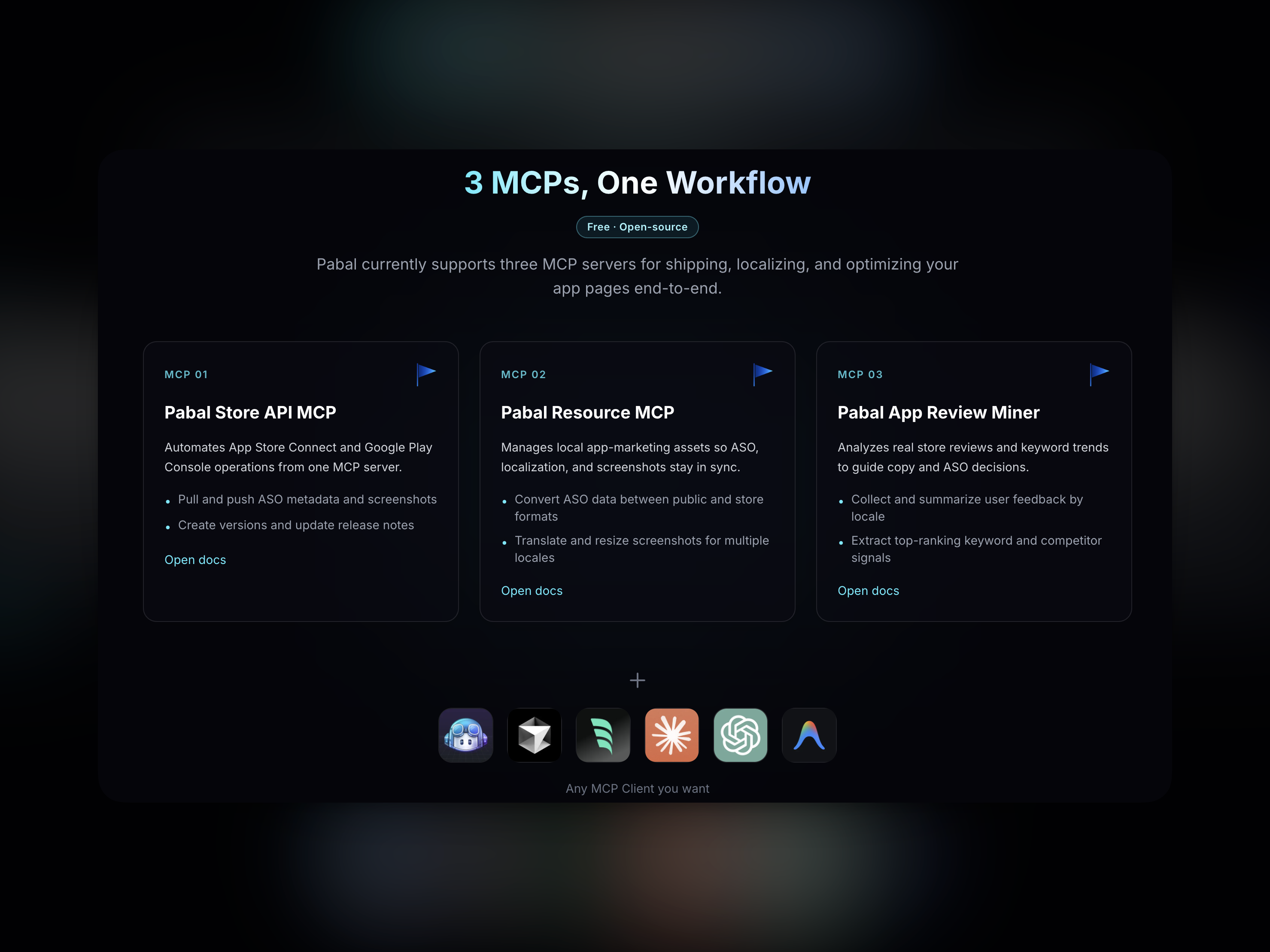
1. Pabal Store API MCP: an MCP that removes store console ping-pong
This MCP unifies App Store Connect and Google Play into one workflow. Tasks like auth checks, app registration, ASO sync, and release note updates become repeatable processes instead of manual console clicks.
I built this because even with one React Native (Expo) codebase, store metadata was still managed separately. It is especially useful when launching a new app, updating ASO data, and uploading localized metadata across stores. It connects fragmented release steps and reduces operational mistakes.
2. Pabal Resource MCP: an MCP for improving ASO content and turning it into SEO assets
If store-api-mcp handles shipping, resource-mcp handles preparation. It covers ASO/public format conversion, locale content improvements, validation, and asset workflows for screenshots, icons, and blog posts.
The biggest value is separation of concerns: convert, improve, then validate. As your app expands to more locales, quality gaps appear quickly. This standardized flow helps keep both speed and accuracy.
3. Pabal App Review Miner: an MCP for user review analysis
Product improvement starts with user reviews. This MCP collects and organizes reviews from your app and competitors, turning raw reading material into decision-ready insight.
It is especially effective when sprint priorities are unclear. By clustering complaint patterns and feature requests, the unit of work changes from “reading reviews” to “deciding what to build next.”
View pabal-app-review-miner docs
How I use all three together
My routine is simple. First, I use pabal-app-review-miner to
identify opportunities. After building features, I use
pabal-resource-mcp to prepare metadata and assets. Finally, I use
pabal-store-api-mcp to publish updates to stores. This order
consistently reduces operational fatigue and protects development time.
Closing
For solo developers, focus is the most limited resource. The common value of these three MCPs is not just “more features,” but less repetitive operational overhead. If you want to run your app sustainably for the long term, this combination is worth adopting.